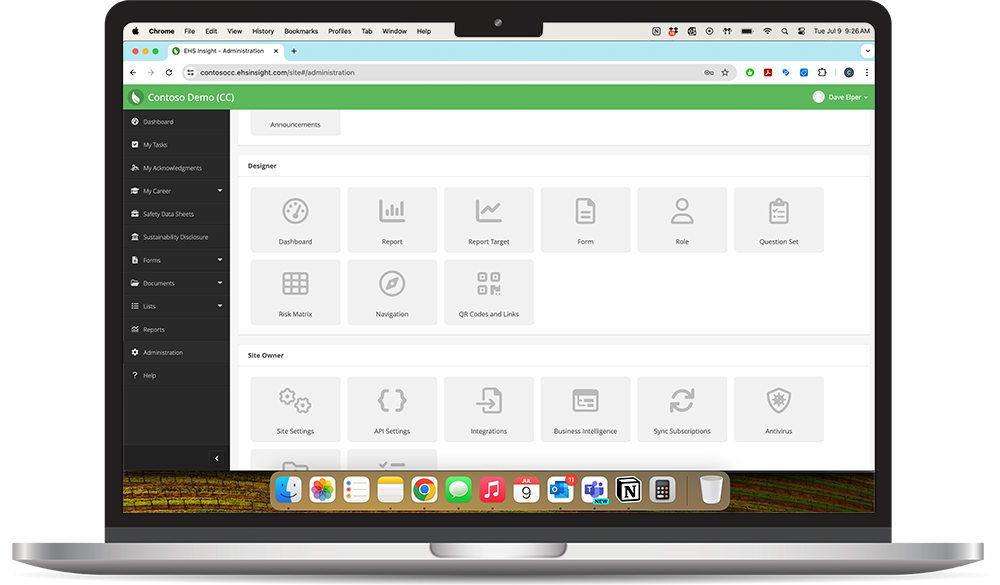
Environmental, Health, and Safety (EHS) software is a category of enterprise technology designed to help organizations track, manage, and improve their safety and compliance programs. At its core, EHS software replaces the spreadsheets, shared drives, and paper-based processes that safety teams have relied on for decades — and replaces them with a centralized, auditable, and often AI-assisted platform.
This guide explains what EHS software is, how it works, what it should include, and how to evaluate whether your organization needs it. It is written for safety managers, EHS directors, and operations leaders considering their first EHS platform — or evaluating whether their current tools are still serving them.
What Does EHS Software Do?
EHS software brings together the core functions of a safety program into a single system of record. Rather than managing incidents in one spreadsheet, training records in another, and audit checklists in a shared folder, safety professionals use EHS software to manage all of these activities — and the data they generate — in one place.
The primary functions of most EHS software platforms include:
- Incident Reporting and Investigation — capturing near misses, injuries, and illnesses; routing them for investigation; tracking corrective actions to closure
- OSHA Recordkeeping — automating OSHA 300/300A/301 log management and electronic submission to OSHA's Injury Tracking Application (ITA)
- Audit and Inspection Management — scheduling inspections, conducting them on mobile devices, generating findings, and tracking remediation
- Training Management — assigning, delivering, and documenting safety training; tracking completion and certification expiry
- Compliance Management — tracking regulatory obligations, assigning ownership, and maintaining an evidence trail for audits
- Risk Assessment — identifying hazards, evaluating risk levels, and prioritizing corrective action
- Environmental Tracking — monitoring emissions, waste streams, and permit compliance
- Mobile-first Design — can workers submit incidents and complete inspections from a phone without training?
- Configurable Workflows — does the system support your specific investigation and corrective action process, or does it force you into a rigid template?
- OSHA and Regulatory Compliance Tools — does it automate OSHA recordkeeping and stay current with regulatory changes?
- Analytics and Reporting — can you surface leading indicators, not just lagging incident counts?
- Integration Capabilities — does it connect to your HRIS, operations systems, or other enterprise platforms?
- AI-Assisted Features — does it surface risk trends or help prioritize corrective actions using machine learning?
Who Uses EHS Software?
EHS software is used across a wide range of industries where workplace safety is a regulatory and operational priority. Manufacturing facilities use it to manage incident rates and OSHA compliance. Construction companies use it to coordinate safety across multiple job sites. Oil and gas operators use it to manage field safety in remote environments where paper-based processes are impractical.
Within an organization, the primary users of EHS software are safety managers, EHS coordinators, and operations supervisors. However, modern platforms are increasingly designed to support frontline workers — enabling them to report hazards and near misses directly from a mobile device without needing to return to a desk.
EHS Software vs. Manual Tracking: What Changes
The most important shift that EHS software enables is from reactive to proactive safety management. When safety data lives in spreadsheets, it is static — it tells you what has already happened. When it lives in a connected platform, it becomes dynamic: incidents trigger investigations, investigations surface trends, and trends inform risk priorities before the next incident occurs.
Beyond visibility, EHS software also removes the administrative burden that consumes a disproportionate share of safety professionals' time. Automated notifications, digital workflows, and pre-built report templates mean that safety teams spend less time managing paperwork and more time engaging with the workforce on the floor.
Key Features to Look For
Not all EHS platforms are built the same. When evaluating software, safety professionals should look for:
How to Know When You Need EHS Software
Organizations typically reach the limits of manual tracking when their incident volume grows beyond what a spreadsheet can reliably manage, when they operate across multiple sites, or when they face an OSHA audit and cannot quickly produce the documentation required. If any of those describe your situation, EHS software is no longer optional — it is operationally necessary.
The sections below link to deeper guides on each of these topics, including how to build a business case for investment, how to evaluate vendors, and how to select a platform for your specific industry.
Got questions? Check out our repository of FAQs and answers we've compiled.
Next Steps