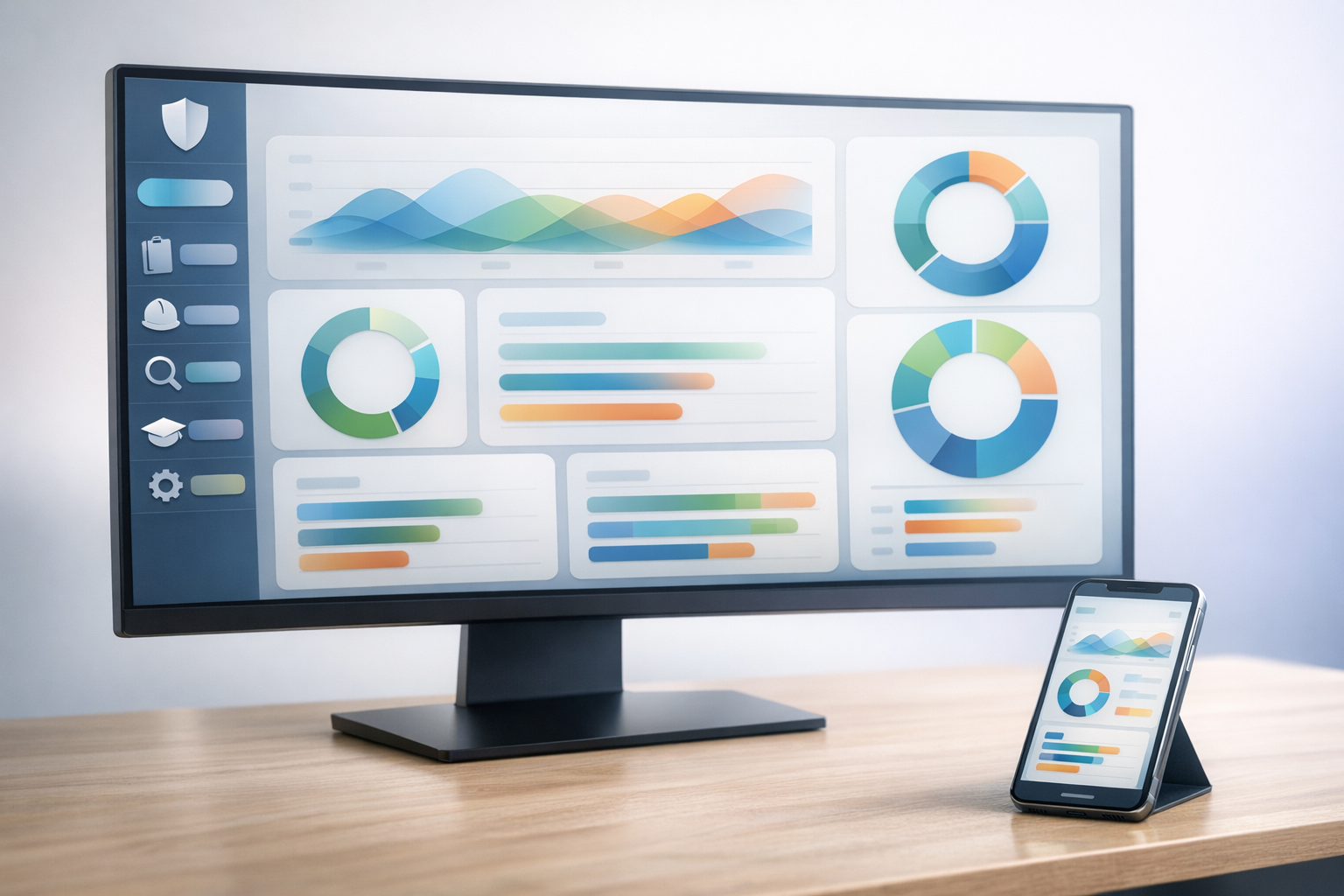
The key features to look for in EHS software are incident reporting and investigation, audit and inspection management, OSHA and regulatory compliance recordkeeping, corrective action tracking, training management, leading-indicator dashboards (including SIF precursor detection), chemical and SDS management, sustainability and ESG reporting, mobile and offline capability, and HRIS, ERP, and SSO integrations. The strongest platforms also include configurable workflows without code, an AI assistant for finding data and generating reports, and an implementation path measured in weeks — not months. Match the feature set to your team's size and program maturity, not to an enterprise checklist.
Let's walk you through each feature, what to evaluate, and what separates a platform you'll grow into from one you'll replace in three years.
What Does EHS Software Actually Do?
EHS software is a system of record for safety, compliance, and environmental data that replaces paper, spreadsheets, and disconnected point tools. It pulls the work of an EHS program into one place — so the same incident data feeds OSHA reporting, leading-indicator dashboards, and ESG disclosures, without manual reconciliation.
Three jobs sit at the center of any EHS management platform:
- Capturing data from the field, where the work actually happens.
- Surfacing risk before it becomes incident, by turning observation, audit, and near-miss data into leading indicators.
- Producing the records regulators and customers ask for, OSHA 300/300A/301 logs, ISO 45001 and ISO 14001 audit evidence, EPA submissions, and ESG disclosures.
The buyers who need this are organizations with active EHS programs and a dedicated EHS function, typically 250 to 5,000 employees, often but not limited to manufacturing, construction, oil and gas, utilities, or chemical operations.
Incident Reporting and Investigation
Every EHS platform handles incident reporting. What separates good from bad is whether a frontline worker can actually use it.
What to Evaluate:
- Mobile-first reporting from any device, with or without signal
- Anonymous near-miss submission
- Photo and video attachment from the field
- Configurable investigation workflows
- Automatic generation of OSHA 300, 300A, and 301 forms from incident records
What separates strong platforms: A frontline worker should be able to report an incident in minutes, whether they're in a cell signal dead zone or a corporate office. If the reporting flow requires a desktop login, the data never gets captured — and the program runs on whatever survives the trip back to the office.
Apex Clean Energy moved from paper-based reporting to 429 employees submitting incidents and observations from their phones in under a year. The shift wasn't the software alone — it was that the software didn't get in the way.
See incident management capabilities →
Audit and Inspection Management
Audits and inspections are the connective tissue between policy and practice. The software either makes them easier to run consistently — or it doesn't.
What to Evaluate:
- Configurable checklists for any audit type, built without engineering help
- Mobile audit completion with offline capability
- Photo evidence captured at the point of finding
- Corrective action assignment the moment a finding is logged
- Scheduling and recurrence so audits don't fall off the calendar
What separates strong platforms: Configurability without engaging a vendor consultant. If you need to add a question to a checklist and the vendor quotes you two weeks and a change order, the platform is fighting you.
A quick distinction worth keeping straight: a safety inspection is a routine operational check — PPE compliance, blocked exits, equipment guarding. A safety audit is a broader evaluation of your management system against a standard like ISO 45001 or ISO 14001. The platform should support both without forcing you to choose.
See audit management capabilities →
OSHA and Regulatory Compliance Recordkeeping
Recordkeeping is the most penalized area of OSHA enforcement that buyers underweight in evaluation. Errors and omissions are citable independent of any underlying incident.
What to Evaluate:
- Automated OSHA 300, 300A, and 301 generation directly from incident records
- Multi-jurisdictional support: federal OSHA, state-plan states, EPA Tier II, and ISO standards for global operations
- Audit-defensible records with clear authorship and time stamps
Why this matters: As of 2024, serious OSHA violations carry penalties up to $15,625 each, and willful or repeated violations reach $156,259. A single inspection that surfaces multiple violations routinely runs into six figures.
Beyond the penalty exposure, accurate recordkeeping directly affects your experience modification rate (EMR) and your workers' compensation premiums. A clean three-year claims history is worth real money — and the platform's reliability is what keeps the record clean.
Learn more about EHS compliance →
Leading Indicators and SIF Precursor Detection
This is the feature category most competitors don't name — and the one that separates a platform that records what already went wrong from one that helps prevent the next event.
What to Evaluate:
- Leading-indicator dashboards that go beyond lagging metrics like Total Recordable Incident Rate (TRIR), DART rate, and Lost Time Injury Rate (LTIR)
- SIF precursor identification
- Near-miss trend analysis with hazard-to-incident correlation
- Visibility into observation completion, corrective action closure, and training currency
Define it inline: SIF (Serious Injury and Fatality) precursor detection identifies the leading indicators that precede serious incidents, high-energy exposures, life-saving rule violations, and recurring near-misses in the same workflow, so the team can intervene before the injury happens.
The research is settled. A NIOSH study of 27,000 establishments over 13 years confirmed that lower-severity events act as precursors to fatalities in the same environment. The principle behind Heinrich's safety pyramid holds up: the events at the base of the pyramid predict the events at the top, if you're measuring them.
The metrics that belong on a leading-indicator dashboard:
- Near-miss reporting rate
- Observation completion rate
- Corrective action closure rate (and time-to-closure)
- Training completion against role requirements
- Audit findings open versus closed
EHS Insight's SIF precursor detection turns this data into actionable signal — flagging the patterns that historically precede serious incidents in your operation, not in a generic dataset.
Training Management
Training isn't an HR feature. It's a compliance feature with audit consequences and an injury-prevention feature with measurable outcomes.
What to Evaluate:
- Role-based training assignment driven by job profile, not manual rosters
- Automated refresher scheduling against regulatory frequencies
- Completion tracking with audit-defensible evidence
- Integration with content libraries and learning partners
Inconsistent or poorly documented training is the most common audit finding that's also the easiest to fix with the right system. OSHA mandates specific training frequencies for many regulated activities, and inability to produce records is treated the same as inability to deliver the training.
See training management capabilities →
Chemical Management and SDS
For most mid-market buyers, chemical management is table stakes — present, accurate, accessible. For chemical-heavy operations, it's a deeper evaluation.
What to evaluate:
- A current SDS library with mobile lookup
- QR-code scanning for digital job packs at the workstation
- Chemical inventory by location and by hazard class
- HazCom and GHS compliance support
- Reporting tied to EPA Tier II thresholds where applicable
Buyers in chemical, pharmaceutical, or specialty manufacturing should evaluate this category more deeply — including chemical approval workflows, exposure monitoring integration, and supplier SDS update automation. For most other operations, the baseline above is the right bar.
See Chemical Management →
SDS Management →
Sustainability and ESG Reporting
ESG reporting requirements are tightening, and the data that feeds them lives in the same operational systems as your EHS data. Splitting EHS and ESG into separate platforms creates two systems of record that have to be reconciled — and reconciliation is where data quality dies.
What to Evaluate:
- Emissions tracking across Scope 1, Scope 2, and Scope 3 where relevant
- Waste, water, and energy data capture against operational baselines
- Ability to roll EHS and operational data into ESG frameworks: GRI, SASB, CDP
- Audit trail that supports third-party assurance
The incident, audit, and operational data that drives safety performance also drives the environmental side of ESG. Keep them on one platform.
See sustainability and ESG capabilities →
AI Copilot and Intelligent Assistance
AI is the most over-claimed feature category in EHS software right now. The evaluation question isn't "does it have AI" — it's "does the AI appear in workflows users touch."
What to evaluate:
- Natural-language querying of incident, audit, and observation data
- Automated report generation for monthly leadership reports, regulatory submissions, and customer audits
- Draft generation for incident narratives, with the human still in the loop
- Predictive analytics tied to leading indicators
What to dismiss: AI features that exist only on a marketing page, with no integration into the workflows a Safety Manager actually opens during the day.
A useful test: can the Safety Manager get a useful answer from the AI in under a minute, without IT help? If the AI sits behind a setup process or a separate interface, adoption never happens.
Apex Clean Energy uses EHS Insight's AI Copilot to pull a custom "Hurt Rate" metric — every injury, regardless of severity, normalized against total work hours — directly into monthly leadership reports. No spreadsheet reconciliation, no analyst hour, no end-of-month scramble. The metric exists because their team needed it, and the Copilot surfaces it on demand.
Learn more about EHS Insight Copilot →
Mobile, Offline, and Field-first Design
Mid-market buyers consistently underweight this feature in evaluation and pay for it later in adoption failures.
What to Evaluate:
- Native mobile application — not a mobile-responsive website squeezed onto a phone
- Offline data capture with automatic sync when the device reconnects
- Photo and video capture from the device, attached directly to records
- GPS tagging where it adds value (location-specific audits, journey management, remote site work)
Why it matters: If the frontline worker can't use the software where the work happens, the data never gets captured. And if the data doesn't get captured, the program runs on the subset of reality that survives the trip back to a desk.
See the EHS Insight mobile app →
Integrations: HRIS, ERP, and SSO
EHS doesn't run in isolation. The platform has to fit into the data stack you already have.
What to Evaluate:
- HRIS connectors for employee profile sync and training assignment: Workday, ADP, UKG, BambooHR
- ERP integration where operational context lives — location data, work orders, asset records
- SSO for security and access management: SAML, OIDC, Okta, Azure AD
- Open API for the custom data sources every operation has — sensor data, internal reporting tools, ESG platforms
Each integration earns its place. HRIS keeps employee profiles and training rosters current without manual upkeep. ERP gives you the operational context that turns an incident record into a real investigation. SSO simplifies access management and meets the IT security bar (SOC 2, ISO 27001).
Pre-built connectors beat custom builds on speed of implementation and on long-term maintenance.
Configurability Without Code
This is the single feature that determines whether your platform scales with your program — or becomes the thing you're working around three years in.
What to Evaluate:
- Ability to add custom fields to any record type without a developer
- Workflow modification by the customer admin
- New form creation without engaging the vendor
- Dashboard and report building by the EHS team, not the data team
Why it matters: Every enterprise platform that requires a vendor consultant for every change extends your implementation, raises your total cost of ownership, and slows your program's ability to respond. When OSHA updates a standard, when your operation expands into a new jurisdiction, when a customer audit asks for a new metric — you should be able to respond in days, not quarters.
Implementation Speed and Time-to-value
Most enterprise EHS rollouts take 6 to 18 months. EHS Insight customers typically go live in 4 to 8 weeks.
The mechanism: Out-of-the-box templates that already match common mid-market workflows. Configurability that doesn't require a vendor consultant. A customer success team that moves at the pace of the customer, not at the pace of a change order queue.
A useful evaluation question for any vendor: ask for a specific go-live timeline with a named customer reference at your scale. Vague answers are vague for a reason.
See the EHS Insight implementation process →
"We went live with EHS Insight faster than I thought was possible for a platform this capable. The AI Copilot has changed how we report to leadership — we're answering questions in minutes that used to take a week." — Jason Conley, Director of Health and Safety, Apex Clean Energy
How to Evaluate EHS Software for your Organization
Use this six-step framework to move from feature comparison to a defensible decision.
- Define your program maturity. A team running its first formal EHS program needs different functionality than a team replacing a legacy enterprise platform. Be honest about where you actually are.
- Map your regulatory burden. OSHA-only? Multi-jurisdictional across state-plan states? Global with EPA reporting and ISO certification goals? The regulatory map drives half your requirements.
- Inventory your data sources. HRIS, ERP, learning management, sensor data, ESG platforms. Anything that needs to feed in or out determines your integration requirements.
- Identify your non-negotiables. Mobile and offline for field-heavy operations. Configurability for teams that will outgrow rigid workflows. AI assistance for teams without a dedicated analyst. Two or three non-negotiables, not ten.
- Score implementation realism. Ask every vendor for a specific go-live timeline with a named customer reference at your scale. If they can't produce one, the timeline they're quoting you isn't real.
- Validate with current customers. Two reference calls with customers in your industry and at your size are worth more than any analyst report. Ask them what surprised them in month three.
What Good EHS Software Shouldn't do
A short list of patterns to walk away from:
- Require a six-month implementation for a 1,000-person organization.
- Charge for every workflow change through a vendor consultant.
- Stop at incident logging without surfacing leading indicators.
- Treat sustainability and EHS as separate platforms when the underlying data is the same.
- Sell AI features that don't actually appear in the workflows users touch.
If a platform you're evaluating does any of these, the gap will only widen as your program grows.
Frequently Asked Questions
What are the must-have features of EHS software?
At minimum: incident reporting and investigation, audit and inspection management, OSHA and regulatory recordkeeping, corrective action tracking, training management, leading-indicator dashboards, mobile and offline capability, and HRIS and SSO integration. Mid-market organizations should also evaluate AI assistance and configurability without code — both separate modern platforms from legacy enterprise tools.
What's the difference between EHS software for mid-market and enterprise organizations?
Enterprise EHS platforms are built for global compliance programs with dedicated administrators and 6 to 18 month implementations. Mid-market platforms are built for EHS teams of one to ten people who need full functionality without enterprise complexity or pricing. The right mid-market platform delivers core EHS capability in 4 to 8 weeks and lets the team configure workflows without engaging a consultant.
What is SIF precursor detection in EHS software?
SIF (Serious Injury and Fatality) precursor detection identifies leading indicators that precede serious incidents — high-energy exposures, life-saving rule violations, and repeated near-misses in the same workflow — so the team can intervene before the injury occurs. A NIOSH study of 27,000 establishments over 13 years confirmed that lower-severity events act as precursors to fatalities in the same environment.
Do I need AI features in EHS software?
AI features are worth evaluating if they appear in workflows users actually touch — natural-language querying of incident data, automated report generation, predictive analytics on leading indicators. Dismiss AI claims that exist only on marketing pages with no workflow integration. The test: can a Safety Manager get a useful answer from the AI in under a minute without IT help?
How long does EHS software implementation take?
Enterprise EHS platforms typically take 6 to 18 months to implement. Mid-market platforms like EHS Insight typically go live in 4 to 8 weeks, driven by out-of-the-box templates close to common workflows and configurability that doesn't require a vendor consultant. Ask any vendor for a specific go-live timeline with a named customer reference at your scale.
What integrations should EHS software have?
At minimum: HRIS (Workday, ADP, UKG, BambooHR) for employee profile and training sync, ERP for operational context, and SSO (SAML, OIDC, Okta, Azure AD) for security. An open API matters for any custom data source — sensor data, internal reporting tools, ESG platforms. Pre-built connectors beat custom builds on speed and maintenance.
See the platform in a 20-minute walkthrough: request an instant demo.