
We Built EHS AI in Three Layers, on Purpose.
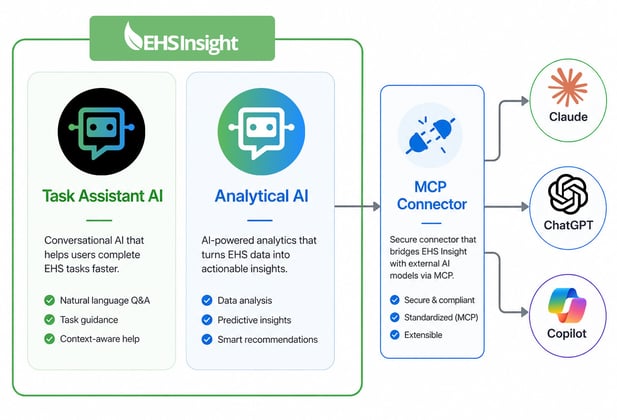
Most platforms bolt a chatbot onto their product and call it AI. We took a different approach. EHS Insight has two kinds of intelligence built directly into the platform, plus a new connector that brings your data out to the AI tools your team already uses every day.
Layer 1. Task Assistant AI
Purpose-built models embedded directly in the workflows where you need them. They review incident descriptions for missing concepts. They suggest corrective actions from photos attached to an investigation. They deconstruct permits into the underlying obligations and compliance tasks. Specialized, precise, and trained for EHS work.
Layer 2. Analytical AI
Capabilities inside EHS Insight that help you search your data, surface trends, and generate reports without manually building every query. The intelligence that helps you understand what your EHS program is telling you, while you are working in EHS Insight.
Layer 3. The MCP Connector
New. The Model Context Protocol connector exposes EHS Insight to Claude, ChatGPT, and Microsoft Copilot. Ask questions in plain language from the AI tool you already use. Get answers from your live, permissioned EHS data, right there in the same conversation where you are drafting emails, building decks, and running your day.

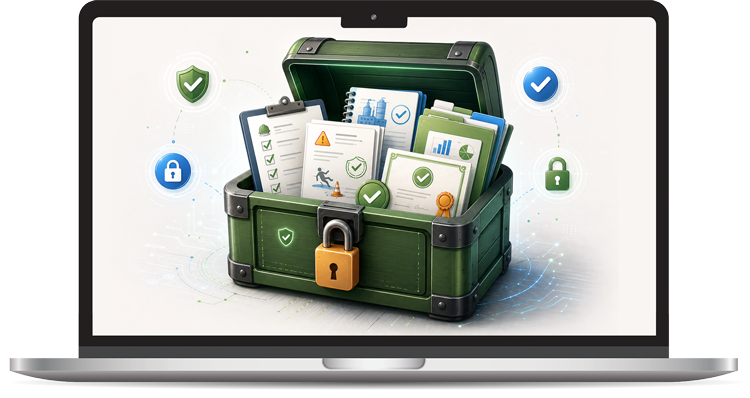
Intelligence Built Into Every Part of Your EHS Platform
Spot serious injury and fatality precursors before they become incidents, surface the patterns hidden in your inspection and observation data, and turn routine reporting into early warning. EHS Insight builds AI into the platform itself, so intelligence shows up where your teams already work rather than in a separate tool.

AI Insight Assistant
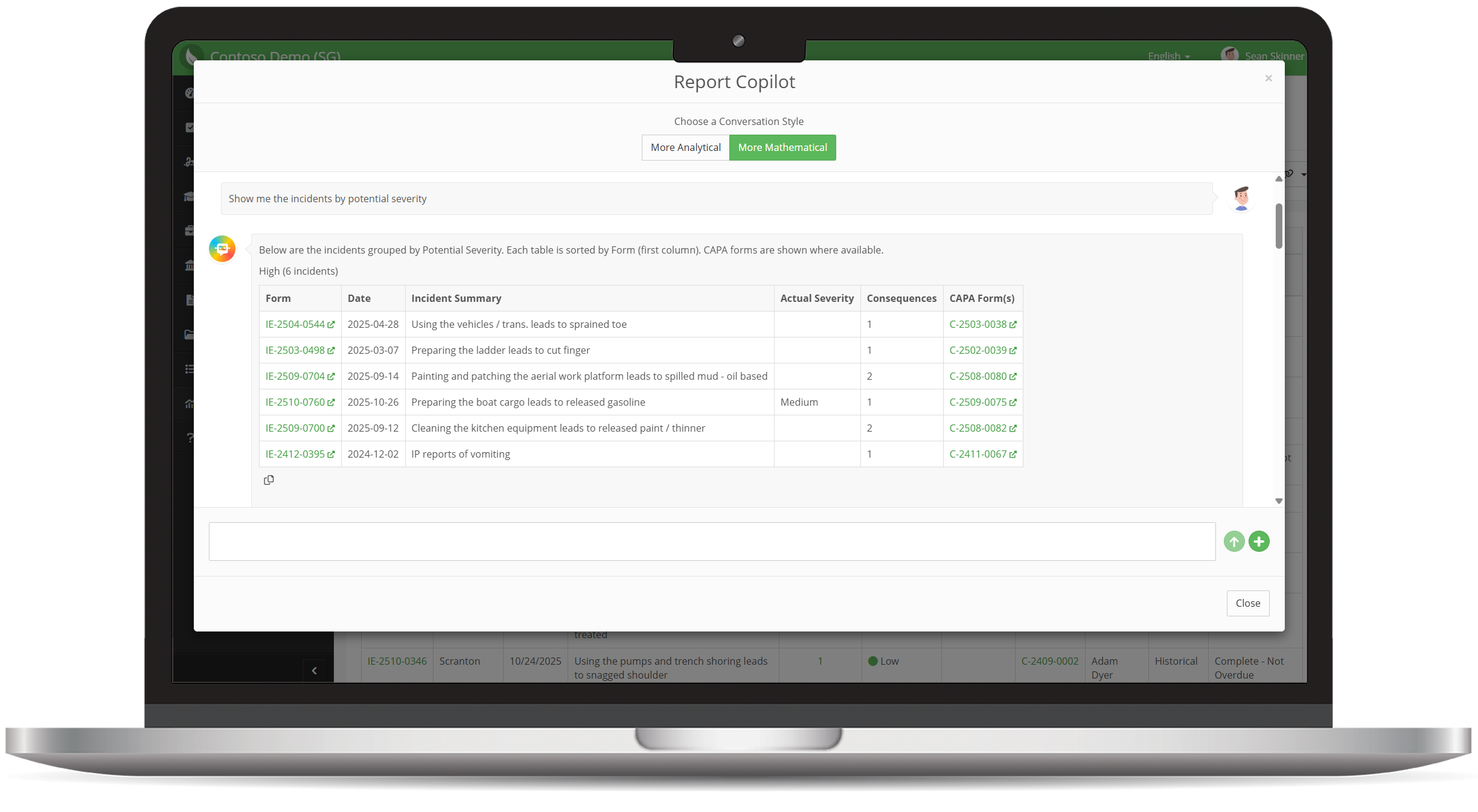
Your Virtual EHS Data Analyst for Forms and Reports
Remove the need for extra analysis in Excel or Power BI.
Analyze trends. Discover patterns. Compare data. Ask questions.
EHS Insight's AI Assistant turns every report and form into a conversational analytics experience—no spreadsheets needed.
Ask your Assistant for:
- Summaries and synthetic overviews
- Trend detection and pattern recognition
- Root-cause and contributing factor insights
- Recommendations for next steps or controls
- On-demand insights about the data within the form or report you’re looking at
Use natural language to get the data clarity you need instantly.

Field Suggestion AI
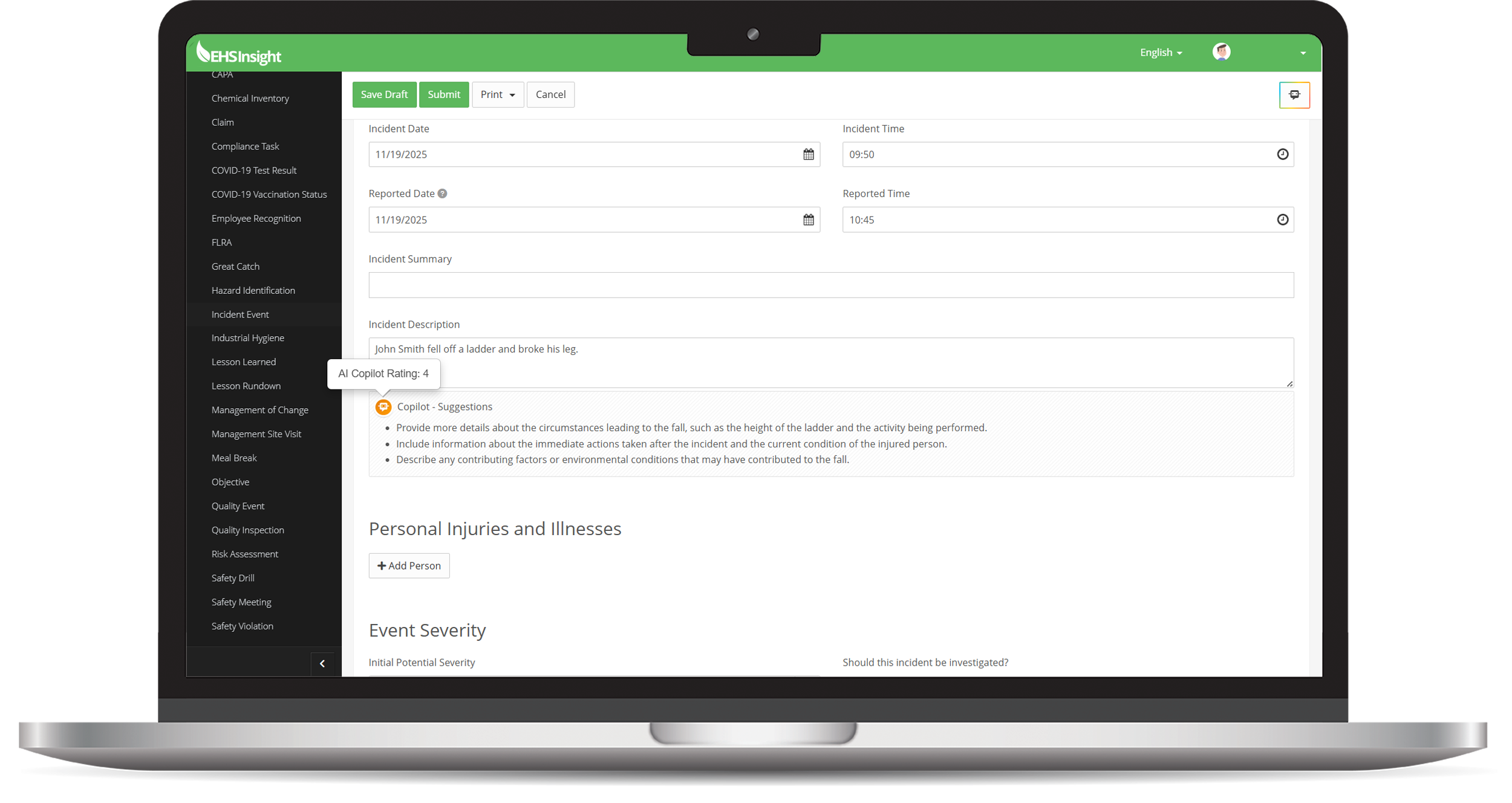
Smarter, More Accurate Safety Reporting
Capturing the right details in forms is essential for analysis, trending, and hazard prevention.
EHS Insight's Field Suggestion AI improves the precision of every report by prompting users with context-aware guidance.
It encourages richer descriptions, reduces vague inputs, and strengthens your organization’s data quality from the first submission.
What it delivers:
- More complete and descriptive records
- Higher data integrity for downstream analytics
- Faster, more accurate incident investigations
- Fewer follow-up questions and clarification loops
SIF Precursor Detection AI
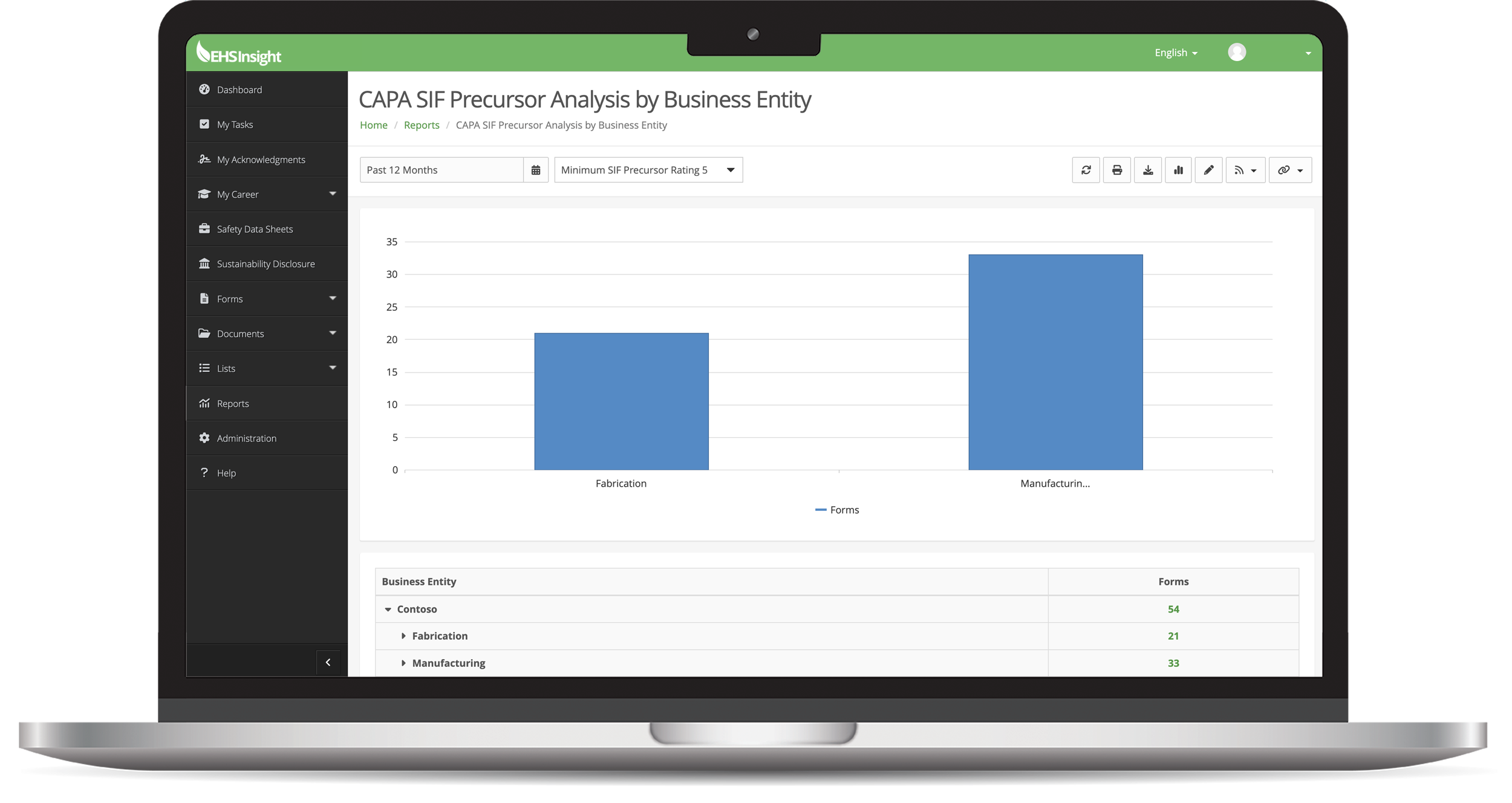
Spot the Warning Signs Before They Become Serious
SIF precursor detection is one of the most powerful applications of AI in safety—and EHS Insight does it automatically.
EHS Insight analyzes forms, audits, observations, incidents, and CAPAs to identify indicators that traditionally go unnoticed.
It assigns a SIF precursor rating so high-risk items can be escalated immediately.
What this means for your organization:
- Proactive intervention
- Better high-severity prevention
- Greater visibility into hidden risks
- Reduced likelihood of serious injury or fatality
Data Quality Analysis AI
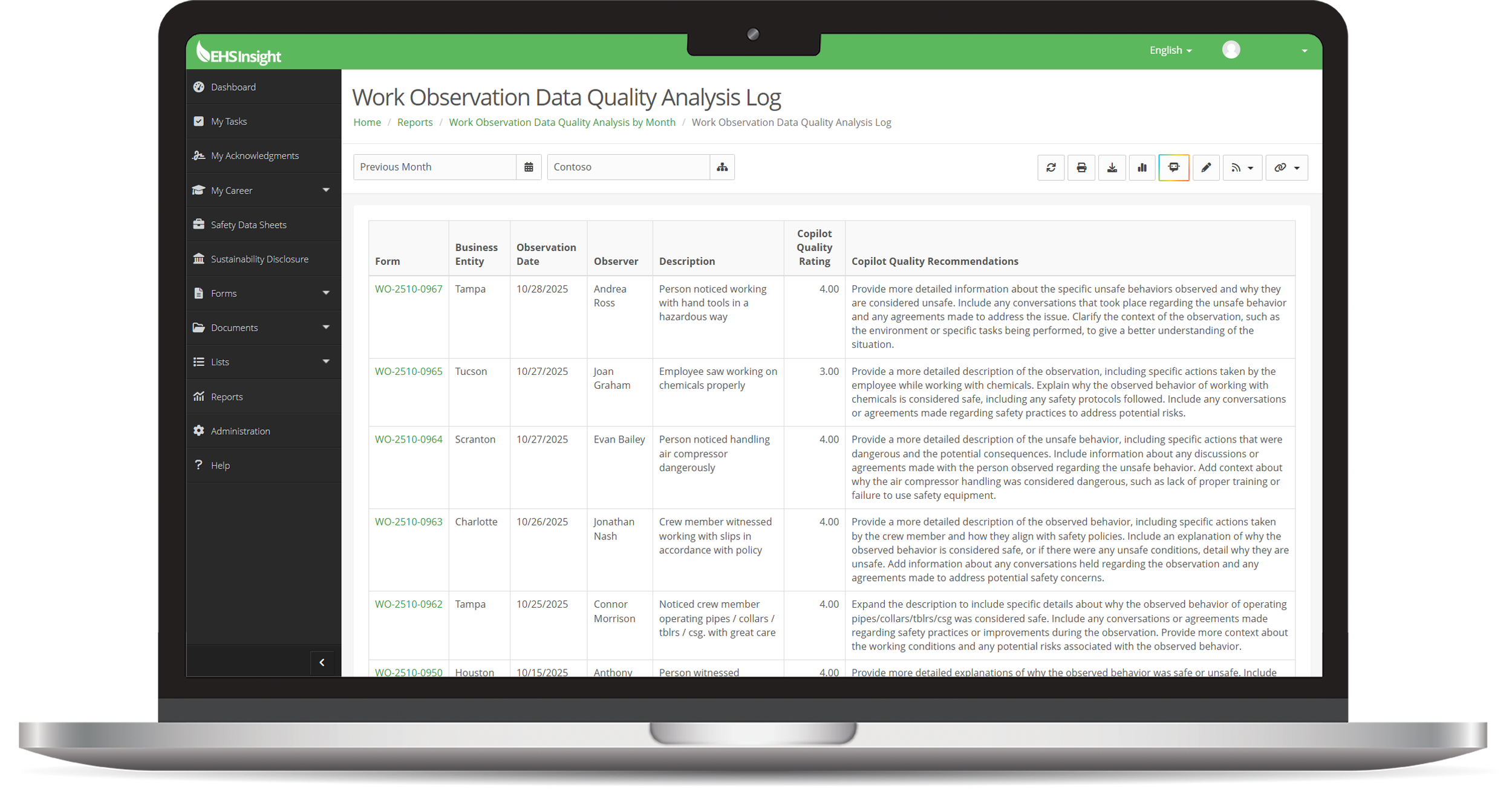
Cleaner Inputs = Smarter Outputs
Strong EHS analytics depend on solid data.
EHS Insight’s Data Quality Analysis AI checks form submissions for missing information, inconsistencies, and low-quality entries.
This results in:
- Higher reporting accuracy
- More trustworthy dashboards
- Consistent records across teams
- Better decision-making with reliable data
Document AI
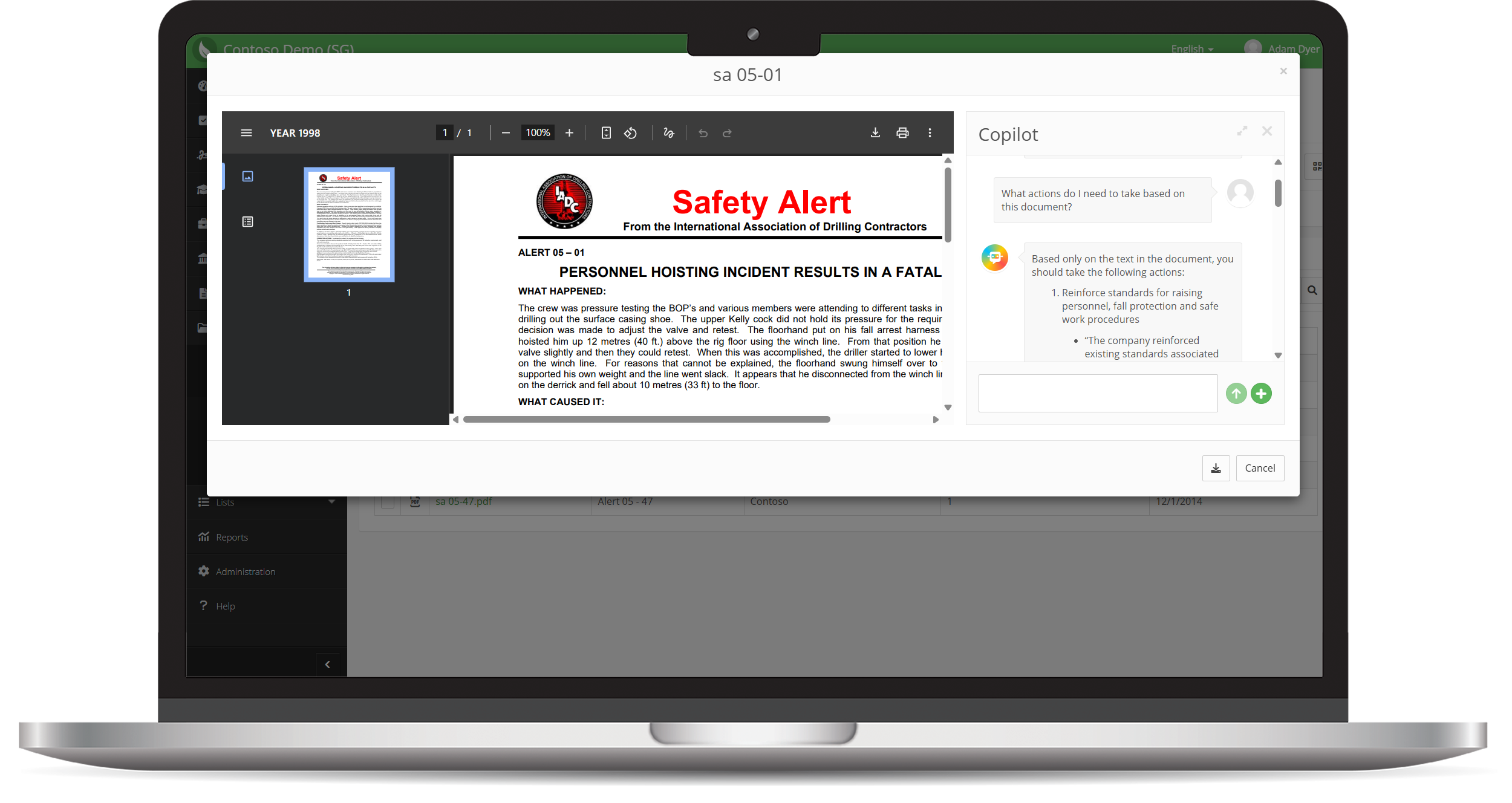
Instant Summaries, Insights & Actionable Plans from PDFs
Document AI analyzes any PDF in the platform: documents, attachments, SOPs, training materials, audits, vendor files—anything.
Ask EHS Insight to:
- Summarize compliance requirements
- Extract actionable steps
- Draft training guides
- Create communication plans
- Highlight key risks or obligations
Document AI opens in a sidebar, letting users work, read, and chat with AI simultaneously.
CAPA AI
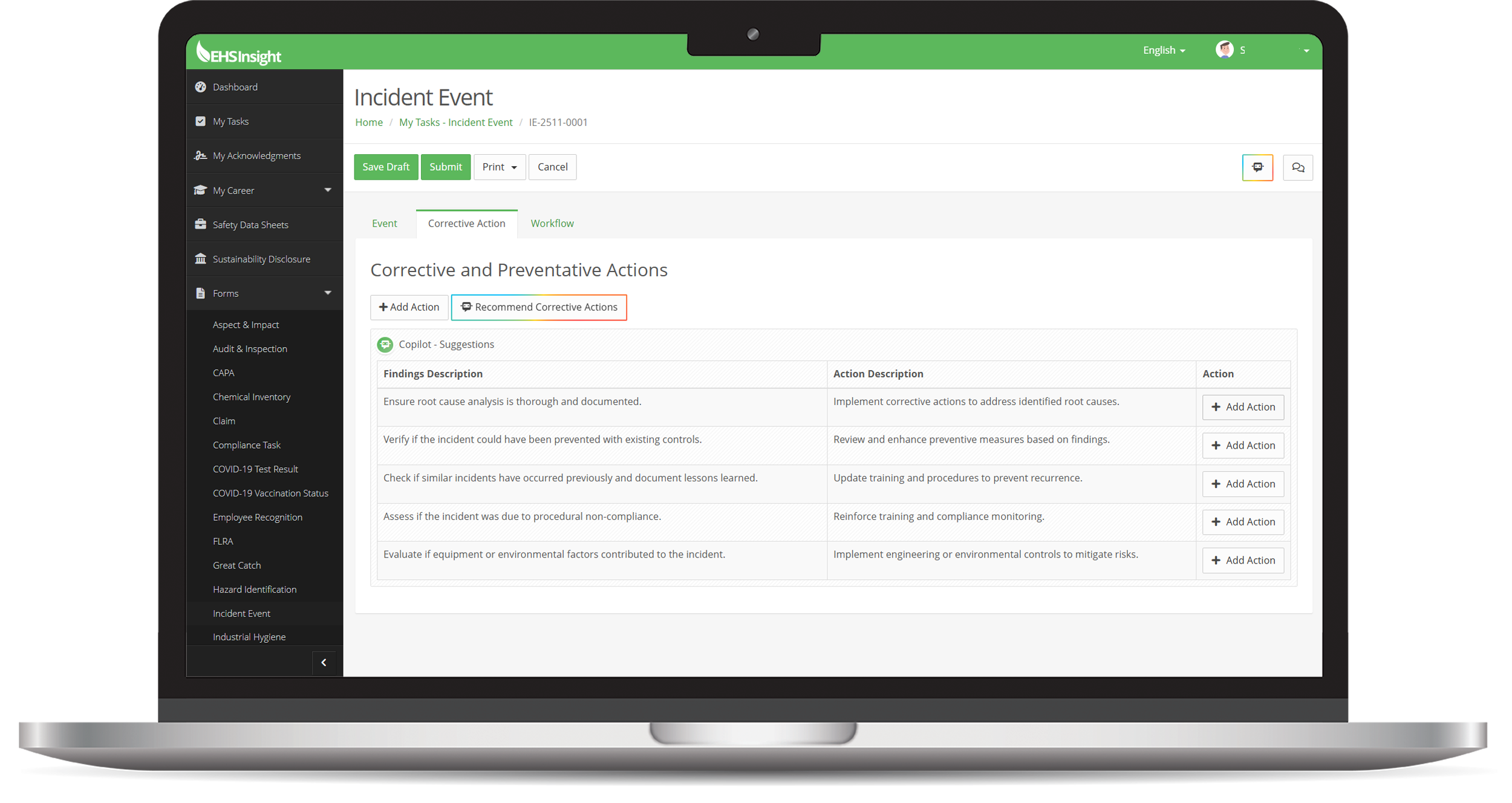
AI-Recommended Corrective Actions, One Click Away
CAPA AI worksheets now include an AI assist button that automatically recommends corrective actions based on form data.
With a single click you can:
- Review the AI-generated recommendations
- Auto-populate findings and action descriptions
- Initiate CAPAs directly
This eliminates repetitive entry, improves consistency, and speeds up corrective action creation across your entire program.
Vision AI
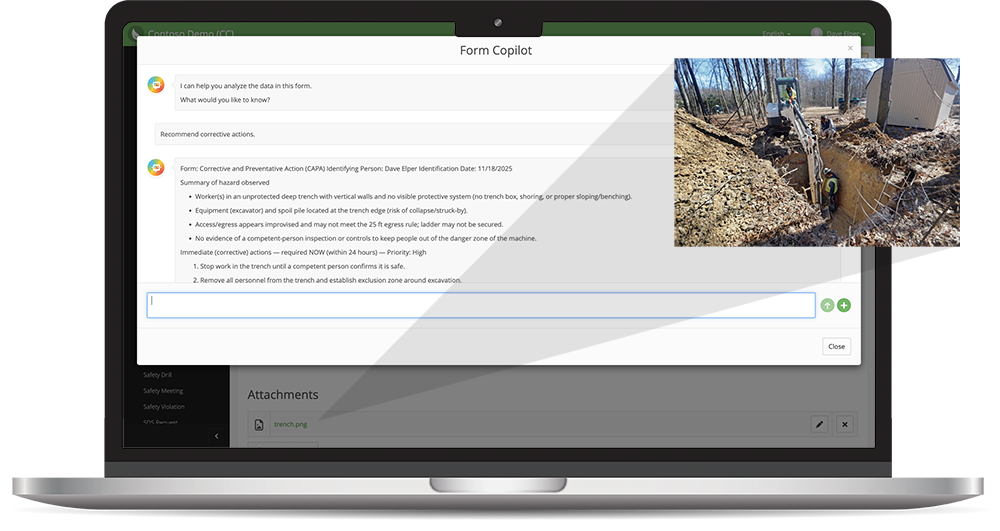
AI That “Sees” Hazards Through Your Photos
Forms now include Vision AI, allowing the system to analyze attached images and include that context in its feedback.
Vision AI understands:
- Unsafe conditions in observations
- Hazard indicators in FLRAs
- Compliance deviations in quality inspections
- Missing PPE
- Environmental exposures
- Equipment or workspace hazards
Example Use Cases:
- Upload a jobsite photo → ask Copilot to identify visible hazards
- Add a trenching photo → get recommended corrective actions
- Compare a reference part vs. real part → identify nonconformities
Photos become real data—raising the accuracy and insight level of every form.
SDS AI
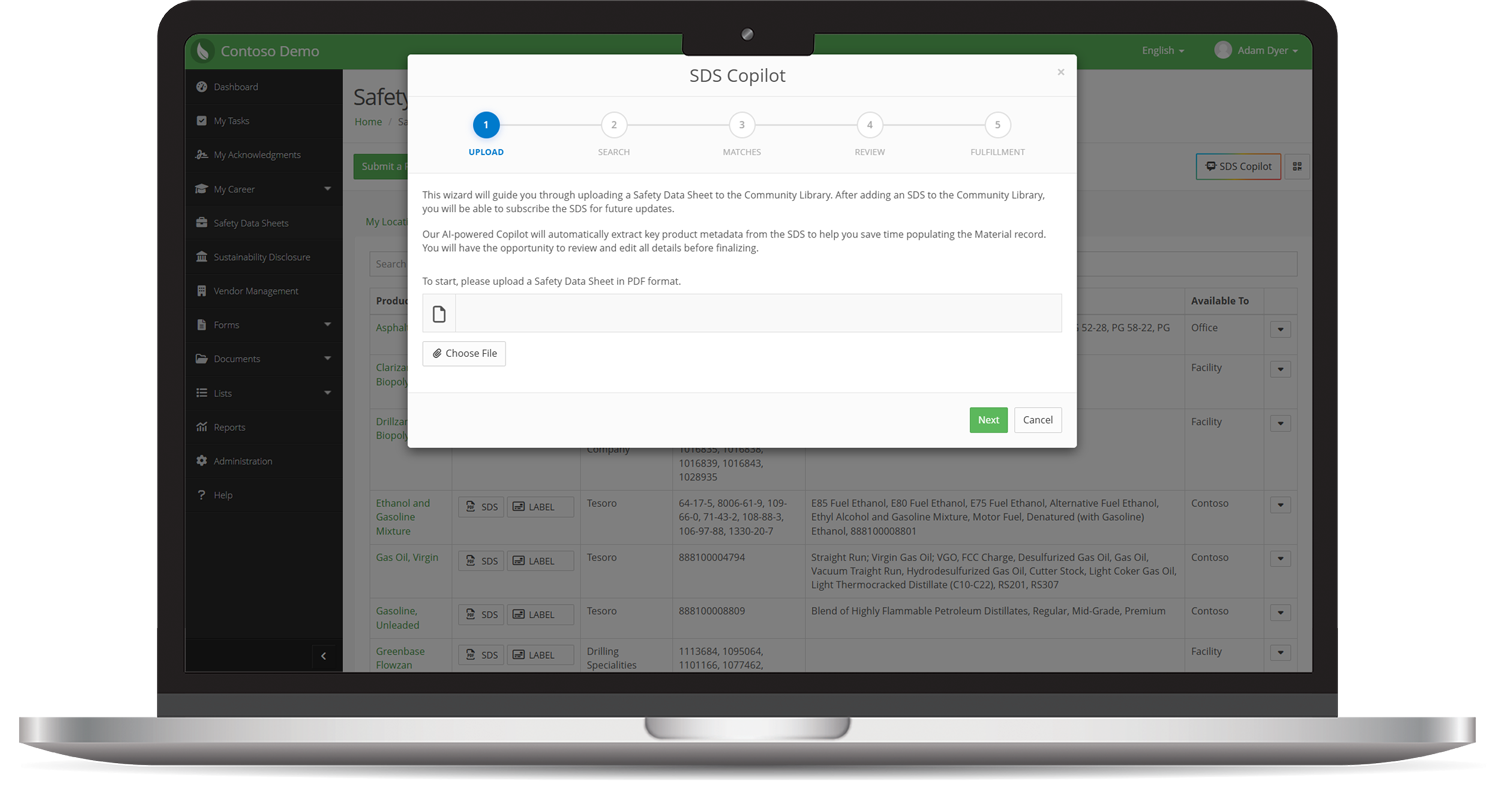
AI-Driven SDS Data Extraction
Our AI-powered SDS wizard streamlines Safety Data Sheet management by automatically extracting key information from uploaded documents and keeping your SDS Community Library accurate and up to date.
- Automated data extraction: Upload SDS documents and let AI pull key metadata like product name, manufacturer, revision date, and hazard information.
- Faster library updates: Quickly add new records or update existing ones without manual data entry.
- Improved accuracy: Reduce human error and maintain reliable, current chemical inventory records.
Data Analysis Agents
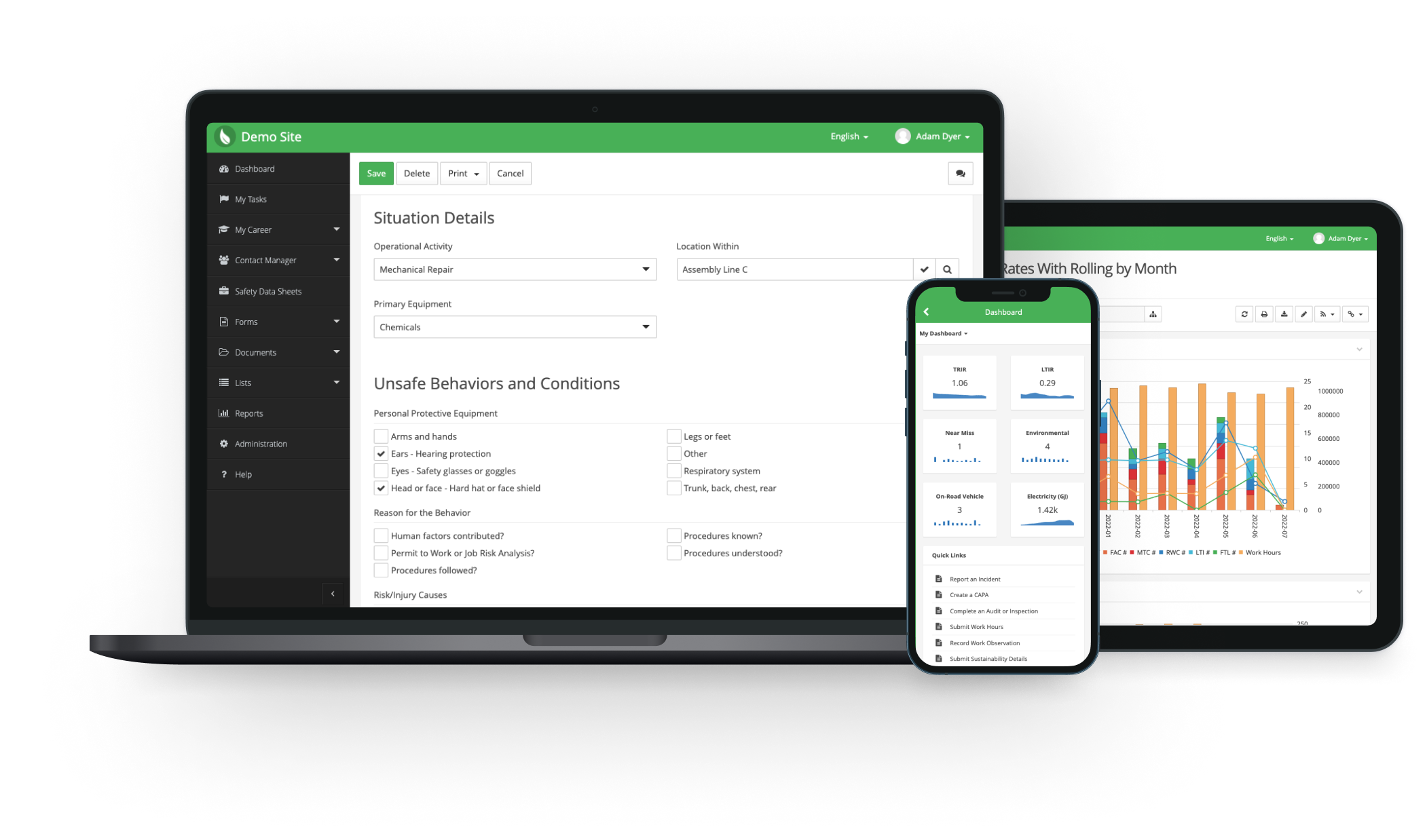
AI Data Analysis Agents That Work Your Way
Configure AI agents to automatically analyze submitted forms, generate ratings, and surface insights based on your organization's unique priorities.
AI Data Analysis Agents can:
- Automatically review form data using custom AI prompts
- Generate ratings, risk scores, and actionable insights
- Analyze any supported form type, not just built-in use cases
- Tailor analysis to your organization's specific workflows and objectives
Example Use Cases:
- Score incident reports based on your organization's risk criteria
- Identify recurring compliance issues across audit findings
- Flag trends in near misses or observations before they escalate
- Generate custom insights from any form using your own AI prompts
Extend AI beyond prebuilt analysis, create intelligent insights tailored to the way your organization works.
AI Vendor Document Review
.png)
Flag Vendor Issues Instantly
Keeping vendor documentation current is essential, but manually checking every certificate, insurance form, and qualification record takes time. AI Vendor Document Review analyzes vendor documents as soon as they're uploaded and evaluates them against configurable review rules before approval.
-
Instant status: Each document is marked Passed, Flagged, or Not Analyzed
-
Early issue detection: Spots problems like expired documents or company names that don't match the vendor record
-
Focused reviews: Shows reviewers exactly which documents need a closer look
The AI adds a layer of protection without replacing human judgment, and reviewers keep full control over every approval decision.
Permit AI
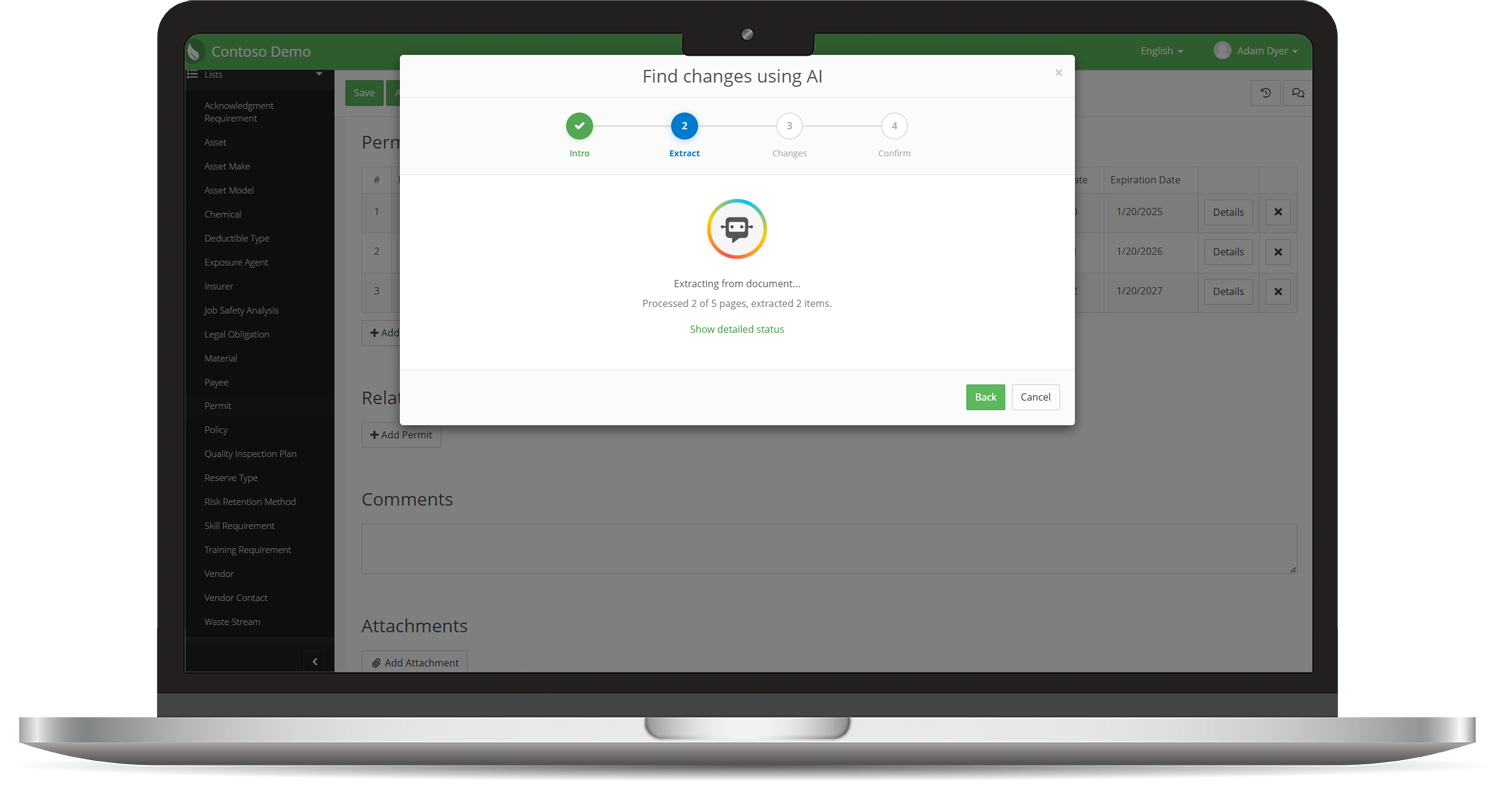
AI-Powered Permit Extraction: AI Reads. You Review. Nothing Gets Missed.
Permits are dense, legal, and constantly subject to amendments and renewals, making it hard to catch every requirement and keep track of what changed between versions.
EHS Insight's Permit AI reads a permit document to automatically extract and categorize every compliance requirement, then groups them into suggested topics you can refine by chat. When a permit is reissued, AI compares the new version against the last, detecting what changed so nothing gets missed.
Permit AI delivers:
- Automatic detection of requirements, citations, page numbers, categories, responsible parties, and frequencies
- Requirements grouped into topics by activity, frequency, unit, or however fits your permit
- A review step before anything is confirmed, so you stay in control
- AI-detected changes between permit versions, with a full revision history and implementation status for every version
MCP Connector

Connect Your EHS Data to the AI You Already Use
EHS Insight now offers MCP Integration, securely connecting your live EHS data with AI assistants like ChatGPT, Claude, and Microsoft Copilot.
Instead of building reports or searching through dashboards, simply ask questions in plain English and receive answers directly from your EHS data, all while respecting your existing user permissions.
With MCP Integration, you can:
- Query live incident, audit, training, and compliance data
- Draft reports, summaries, and executive updates instantly
- Surface trends, overdue actions, and emerging risks
- Analyze data across multiple EHS modules in a single conversation
- Work from your preferred AI assistant, no proprietary chatbot required
Example Use Cases:
- "Which sites are trending toward a recordable this quarter?"
- "Show all overdue corrective actions from our Q2 audits."
- "Draft our OSHA 300A summary using this year's data."
- "Which employees completed a work observation within two weeks before an incident?"
Ask questions. Get answers. Take action. Your AI assistant becomes a secure, real-time gateway to your EHS Insight data.
Your Virtual EHS Data Analyst for Forms and Reports
Remove the need for extra analysis in Excel or Power BI.
Analyze trends. Discover patterns. Compare data. Ask questions.
EHS Insight's AI Assistant turns every report and form into a conversational analytics experience—no spreadsheets needed.
Ask your Assistant for:
- Summaries and synthetic overviews
- Trend detection and pattern recognition
- Root-cause and contributing factor insights
- Recommendations for next steps or controls
- On-demand insights about the data within the form or report you’re looking at
Use natural language to get the data clarity you need instantly.
Smarter, More Accurate Safety Reporting
Capturing the right details in forms is essential for analysis, trending, and hazard prevention.
EHS Insight's Field Suggestion AI improves the precision of every report by prompting users with context-aware guidance.
It encourages richer descriptions, reduces vague inputs, and strengthens your organization’s data quality from the first submission.
What it delivers:
- More complete and descriptive records
- Higher data integrity for downstream analytics
- Faster, more accurate incident investigations
- Fewer follow-up questions and clarification loops
Spot the Warning Signs Before They Become Serious
SIF precursor detection is one of the most powerful applications of AI in safety—and EHS Insight does it automatically.
EHS Insight analyzes forms, audits, observations, incidents, and CAPAs to identify indicators that traditionally go unnoticed.
It assigns a SIF precursor rating so high-risk items can be escalated immediately.
What this means for your organization:
- Proactive intervention
- Better high-severity prevention
- Greater visibility into hidden risks
- Reduced likelihood of serious injury or fatality
Cleaner Inputs = Smarter Outputs
Strong EHS analytics depend on solid data.
EHS Insight’s Data Quality Analysis AI checks form submissions for missing information, inconsistencies, and low-quality entries.
This results in:
- Higher reporting accuracy
- More trustworthy dashboards
- Consistent records across teams
- Better decision-making with reliable data
Instant Summaries, Insights & Actionable Plans from PDFs
Document AI analyzes any PDF in the platform: documents, attachments, SOPs, training materials, audits, vendor files—anything.
Ask EHS Insight to:
- Summarize compliance requirements
- Extract actionable steps
- Draft training guides
- Create communication plans
- Highlight key risks or obligations
Document AI opens in a sidebar, letting users work, read, and chat with AI simultaneously.
AI-Recommended Corrective Actions, One Click Away
CAPA AI worksheets now include an AI assist button that automatically recommends corrective actions based on form data.
With a single click you can:
- Review the AI-generated recommendations
- Auto-populate findings and action descriptions
- Initiate CAPAs directly
This eliminates repetitive entry, improves consistency, and speeds up corrective action creation across your entire program.
AI That “Sees” Hazards Through Your Photos
Forms now include Vision AI, allowing the system to analyze attached images and include that context in its feedback.
Vision AI understands:
- Unsafe conditions in observations
- Hazard indicators in FLRAs
- Compliance deviations in quality inspections
- Missing PPE
- Environmental exposures
- Equipment or workspace hazards
Example Use Cases:
- Upload a jobsite photo → ask Copilot to identify visible hazards
- Add a trenching photo → get recommended corrective actions
- Compare a reference part vs. real part → identify nonconformities
Photos become real data—raising the accuracy and insight level of every form.
AI-Driven SDS Data Extraction
Our AI-powered SDS wizard streamlines Safety Data Sheet management by automatically extracting key information from uploaded documents and keeping your SDS Community Library accurate and up to date.
- Automated data extraction: Upload SDS documents and let AI pull key metadata like product name, manufacturer, revision date, and hazard information.
- Faster library updates: Quickly add new records or update existing ones without manual data entry.
- Improved accuracy: Reduce human error and maintain reliable, current chemical inventory records.
AI Data Analysis Agents That Work Your Way
Configure AI agents to automatically analyze submitted forms, generate ratings, and surface insights based on your organization's unique priorities.
AI Data Analysis Agents can:
- Automatically review form data using custom AI prompts
- Generate ratings, risk scores, and actionable insights
- Analyze any supported form type, not just built-in use cases
- Tailor analysis to your organization's specific workflows and objectives
Example Use Cases:
- Score incident reports based on your organization's risk criteria
- Identify recurring compliance issues across audit findings
- Flag trends in near misses or observations before they escalate
- Generate custom insights from any form using your own AI prompts
Extend AI beyond prebuilt analysis, create intelligent insights tailored to the way your organization works.
Flag Vendor Issues Instantly
Keeping vendor documentation current is essential, but manually checking every certificate, insurance form, and qualification record takes time. AI Vendor Document Review analyzes vendor documents as soon as they're uploaded and evaluates them against configurable review rules before approval.
-
Instant status: Each document is marked Passed, Flagged, or Not Analyzed
-
Early issue detection: Spots problems like expired documents or company names that don't match the vendor record
-
Focused reviews: Shows reviewers exactly which documents need a closer look
The AI adds a layer of protection without replacing human judgment, and reviewers keep full control over every approval decision.
AI-Powered Permit Extraction: AI Reads. You Review. Nothing Gets Missed.
Permits are dense, legal, and constantly subject to amendments and renewals, making it hard to catch every requirement and keep track of what changed between versions.
EHS Insight's Permit AI reads a permit document to automatically extract and categorize every compliance requirement, then groups them into suggested topics you can refine by chat. When a permit is reissued, AI compares the new version against the last, detecting what changed so nothing gets missed.
Permit AI delivers:
- Automatic detection of requirements, citations, page numbers, categories, responsible parties, and frequencies
- Requirements grouped into topics by activity, frequency, unit, or however fits your permit
- A review step before anything is confirmed, so you stay in control
- AI-detected changes between permit versions, with a full revision history and implementation status for every version
Connect Your EHS Data to the AI You Already Use
EHS Insight now offers MCP Integration, securely connecting your live EHS data with AI assistants like ChatGPT, Claude, and Microsoft Copilot.
Instead of building reports or searching through dashboards, simply ask questions in plain English and receive answers directly from your EHS data, all while respecting your existing user permissions.
With MCP Integration, you can:
- Query live incident, audit, training, and compliance data
- Draft reports, summaries, and executive updates instantly
- Surface trends, overdue actions, and emerging risks
- Analyze data across multiple EHS modules in a single conversation
- Work from your preferred AI assistant, no proprietary chatbot required
Example Use Cases:
- "Which sites are trending toward a recordable this quarter?"
- "Show all overdue corrective actions from our Q2 audits."
- "Draft our OSHA 300A summary using this year's data."
- "Which employees completed a work observation within two weeks before an incident?"
Ask questions. Get answers. Take action. Your AI assistant becomes a secure, real-time gateway to your EHS Insight data.